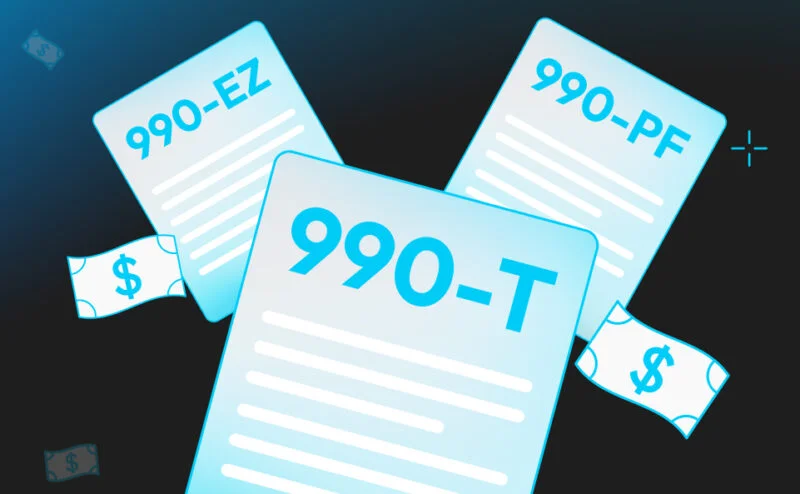
990 software for nonprofits is a purpose-built application that prepares and electronically files a tax-exempt organization’s annual information return — Form 990, Form 990-EZ, Form 990-PF, or the 990-N e-Postcard — along with the schedules the IRS requires. In plain terms, it keeps your tax-exempt status alive by getting the right numbers onto the right form and transmitting them to the IRS on time.
How is it different from the general tax software a small-business owner grabs off a shelf? Three ways. Schedule coverage: exempt-organization returns carry their own alphabet of schedules — A through R — and generic software either skips them or bolts them on badly. Donor and program context: nonprofit software understands contributions, grants, program-service revenue, and the donor-privacy rules that come with them. And board-friendly outputs: the finished return must be readable by a treasurer and a finance committee, not just a CPA.
There is also a hard requirement first-time buyers rarely see coming: the IRS now mandates electronic filing for essentially all exempt-organization returns. Paper is gone. Your software must carry current IRS Modernized e-File support or it is not really 990 software. Note too who usually buys it — a board treasurer or executive director, not a credentialed tax pro — which is why guided workflows matter. The payoff is real: for an organization under $5 million in revenue, the right platform can turn a 40-hour preparation grind into a 10-hour review cycle.
Form Coverage by Organization Size: Which 990 Do You Need?
Before you shop, know which return you actually file — buying a private-foundation tool for a small charity, or the reverse, is a classic and expensive mistake. Here is the quick self-diagnosis by gross receipts, assets, and type.
- Under $50,000 in gross receipts: file Form 990-N, the e-Postcard. Eight short questions, filed free through the IRS portal. Hold off on heavy software until you grow.
- $50,000 to $200,000 in gross receipts and under $500,000 in assets: file Form 990-EZ. This is where dedicated 990 ez software earns its keep, because even the short form drags along required schedules that trip up first-time filers.
- $200,000 or more in gross receipts, or $500,000 or more in assets: file the full Form 990 with the complete schedule set — the deep end, where you want real workflow support.
- A private foundation, regardless of size: file Form 990-PF, which adds investment-income reporting and excise-tax calculations. It is a different animal, so 990 pf software is its own buying decision.
- Any organization with $1,000 or more in unrelated business taxable income: add Form 990-T on top of the base return. Alternative investments are the usual culprit.
Match the form to the size first, then the software to the form. A $120,000 arts nonprofit and a $40 million foundation both file “a 990,” but they need almost nothing in common from their tooling — and everything downstream flows from this one decision.
Not sure which return you file? Schedule a conversation with a 990 expert and request a demo of 990 Tracker.
E-File Support and IRS Modernized e-File (MeF)
Here is the requirement nobody mentions until it bites you: your software must transmit through the IRS Modernized e-File platform, known as MeF. Because paper is no longer an option for most organizations, MeF compatibility is not a feature to compare — it is a pass/fail gate. A tool that cannot e-file to current-year MeF schemas is off the list.
What separates real nonprofit 990 e-file software from a glorified PDF filler is what happens around transmission. Good software validates your return against the current IRS schema before it leaves your desk, catching structural errors — a missing schedule, a mismatched total — while you can still fix them. It manages the authorized e-file provider and PIN signing workflow, then tracks acknowledgments automatically, telling you the moment the IRS accepts the return or routing you to the fix on a rejection.
Do not forget the states. Many organizations owe a state filing alongside the federal 990 — the CHAR500 in New York, the RRF-1 in California, and similar registrations elsewhere. Software that integrates state e-file spares you a second, disconnected process, so ask every vendor which state forms they support and whether those filings transmit electronically.
Donor Management and Schedule B Workflow
Schedule B is where careful nonprofits still trip. It lists your substantial contributors, sitting at the intersection of two things small teams handle badly: messy donor data and confusing disclosure rules. Strong nonprofit software integrates directly with the donor CRM you already use — Bloomerang, Salesforce Nonprofit Cloud, DonorPerfect, or Blackbaud — so contribution data flows in clean instead of being re-keyed, and the numbers match your system of record by construction, not by luck.
From there, the software should identify which contributors belong on Schedule B by applying gift-amount thresholds and aggregation rules automatically, so you are not manually summing a donor’s gifts to see whether they cross the line. It should handle public-version redaction, suppressing contributor names on the publicly available copy while preserving full detail on the IRS version. And it should track multi-year contributor patterns and produce anonymized donor flows for finance-committee review. On the 990, data hygiene is where hours disappear — buy the tool that makes it boring.
Workflow for Small and Mid-Size Nonprofit Teams
Most nonprofits do not have a tax department. They have one finance person, a part-time bookkeeper, and a treasurer who volunteers evenings. The right nonprofit tax filing software fits that small-team reality. It is single-user friendly, with a guided question flow that walks a first-time filer through the return the way a knowledgeable colleague would. It produces board-friendly outputs: a clean PDF preview a finance committee can read and approve before anything transmits. And it carries data forward across fiscal years, so last year’s contributors and program descriptions pre-populate this year’s return — the difference between the second filing taking a weekend and taking an hour.
Check the support model, because a small team leans on it hard: live chat during filing season, dedicated CPA support hours for the genuinely confusing questions, and a knowledge base deep enough to answer at 11 p.m. before a board meeting. The impact is not theoretical — nonprofits report saving an average of 60 percent of preparation time after switching from manual or generic tax software to nonprofit-specific tooling.
Pricing Models for Nonprofit Budgets
Money is a real constraint, and pretending otherwise helps no one. Nonprofit software sells two main ways. Per-return pricing typically runs $300 to $1,200 for a Form 990, scaling with complexity. Subscription pricing typically runs $500 to $3,000 annually for unlimited filings within one organization. The smallest organizations have a genuinely free path: 990-N filers can transmit the e-Postcard directly through the IRS at no cost — just know that “free” covers the eight-question e-Postcard and nothing more.
Watch the hidden costs. State filings, K-1 ingestion, 990-T preparation, and donor-data integrations are frequently priced as paid add-ons — a base price of $600 can become $1,800 once you add the two integrations you actually need. Price the configuration you will really use, and think in three-year terms. The table below sketches realistic cost across three nonprofit profiles.
Cost factor | Small (990-EZ, under $200K) | Mid-size (full 990, $200K–$10M) | Growth-stage (990 + 990-T, alt. investments) |
|---|
| Typical model | Free 990-N or ~$300 per return | $500–$1,500 subscription | $2,000–$3,000+ plus add-ons |
| State filings | Usually one, often DIY | One to a few, integrated | Multi-state, must be integrated |
| Schedule B / donor CRM | Manual or light integration | CRM integration expected | CRM integration required |
| K-1 / 990-T handling | Not needed | Rarely needed | Required — the main cost driver |
| Three-year total (est.) | $0–$1,000 | $2,500–$5,000 | $8,000–$15,000+ |
Security and Data Governance for Donor and Financial Data
Your 990 software holds two of your most sensitive assets: donor identities and financial detail. A breach is not just an IT problem — it is a betrayal of the people who fund your mission, and your board will rightly want assurances before you sign. Treat vendor security as a governance question.
The baseline is SOC 2 Type II certification, which means an independent auditor verified the vendor’s security controls over a period of time, not at a single moment. Alongside it, insist on encryption in transit and at rest and role-based access, so not every user can see every donor. Ask how the vendor segregates donor data and handles Schedule B. A serious vendor will hand you a due-diligence package for board and audit-committee review — covering backup, retention, and data-portability policies aligned with IRS public-inspection rules, plus incident-response and breach-notification expectations. Confirm one more thing: that you can export your own data if you ever leave. Your records belong to your organization.
When 990 Software for Nonprofits Is Not Enough
Lightweight tooling is the right call for most organizations most of the time. But there is a specific, predictable moment when it stops being enough, and knowing it in advance separates a calm migration from a deadline scramble. The signal is almost always the same: alternative investments.
Your organization builds an endowment, an advisor moves some of it into partnerships, and suddenly you are receiving Schedule K-1s. A K-1 is the tax form a partnership issues to report your share of its income; it is dense, late-arriving, and unlike anything a basic 990 tool was built to handle. When those K-1s carry unrelated business taxable income, you owe a Form 990-T on top of your 990 — and the calculation has to silo income by activity, a rule most lightweight platforms cannot model. Multi-state operations and crossing roughly $5 million in revenue add further pressure. Together they mean you have outgrown the starter tier — not a failure, but growth.
The good news: migrating from lightweight to enterprise-grade nonprofit software does not have to be disruptive if you plan it, and the trigger to start planning is the first K-1 in the mailbox. This is where a platform like K1x earns its place — K1 Aggregator® ingests and extracts K-1 data with 99%+ accuracy in under 11 seconds per standard K-1, and 990 Tracker® handles the 990, 990-T, and UBTI workflow in one place, so the alternative-investment trigger becomes a solved problem instead of a spring emergency.
Started receiving K-1s from your investments? Schedule a meeting with a K-1 and 990 expert and ask for a walk-through of private tax automation software.
Top Vendors and What Differentiates Them
You do not need a vendor-by-vendor tour — those go stale the day they publish. Better to think in categories and match the category to your fit. Form-fillers are low-cost, often single-form tools that fit very small nonprofits with straightforward filings. Mid-market platforms balance broader form coverage with real workflow features and fit organizations roughly $500,000 to $10 million. Enterprise nonprofit platforms bring full schedule coverage, K-1 ingestion, 990-T silo logic, and general-ledger integration for organizations with alternative investments. And hybrid CPA-firm offerings bundle fixed-fee professional preparation with software access, fitting organizations that would rather buy the outcome than run the tool.
The decision criteria are consistent whichever way you lean: your organization’s size, the complexity of your schedules, whether you hold alternative investments, and how much capacity your team has. A capable team at a simple organization can run a mid-market platform itself; a stretched team facing 990-T complexity is better served buying help. Buy for the organization you are, and for the one you will become within about two years — no further.
Migration and Implementation Timeline
Switching software sounds scary mostly because people attempt it in the wrong month. Done against a countdown to your filing deadline, it is manageable. Here is a 90-day plan that gets you onto a new platform without missing a filing.
- 90 days before the deadline: finalize vendor selection and sign the contract. Do your security due diligence and confirm the platform handles every form and schedule you actually file.
- 60 days before: run data migration. Import prior-year returns and donor data, connect your CRM, and set up a parallel run so the new platform holds the same history your old one did.
- 45 days before: prepare a first draft of the current-year 990 in the new platform. If the guided flow and carryforward work as promised, gaps surface with weeks to spare.
- 30 days before: route the draft to your finance committee or board using the platform’s board-friendly PDF preview, and refine on their feedback.
- 15 days before: complete the final review, e-file through MeF, and confirm the IRS acknowledgment — the job is not done until that acceptance is in hand.
Notice the new platform is doing the current-year return, not next year’s. Migrating during an active cycle with a parallel run as your safety net lets you validate the software on real stakes while you still have room to adjust.